tbook
An EPUB reader in the terminal. Text, images and reading state in one Go binary.
- Personal project, public code
- Go reader development
- Functional; no published release
- Go / Bubble Tea / Glamour / EPUB
what it is
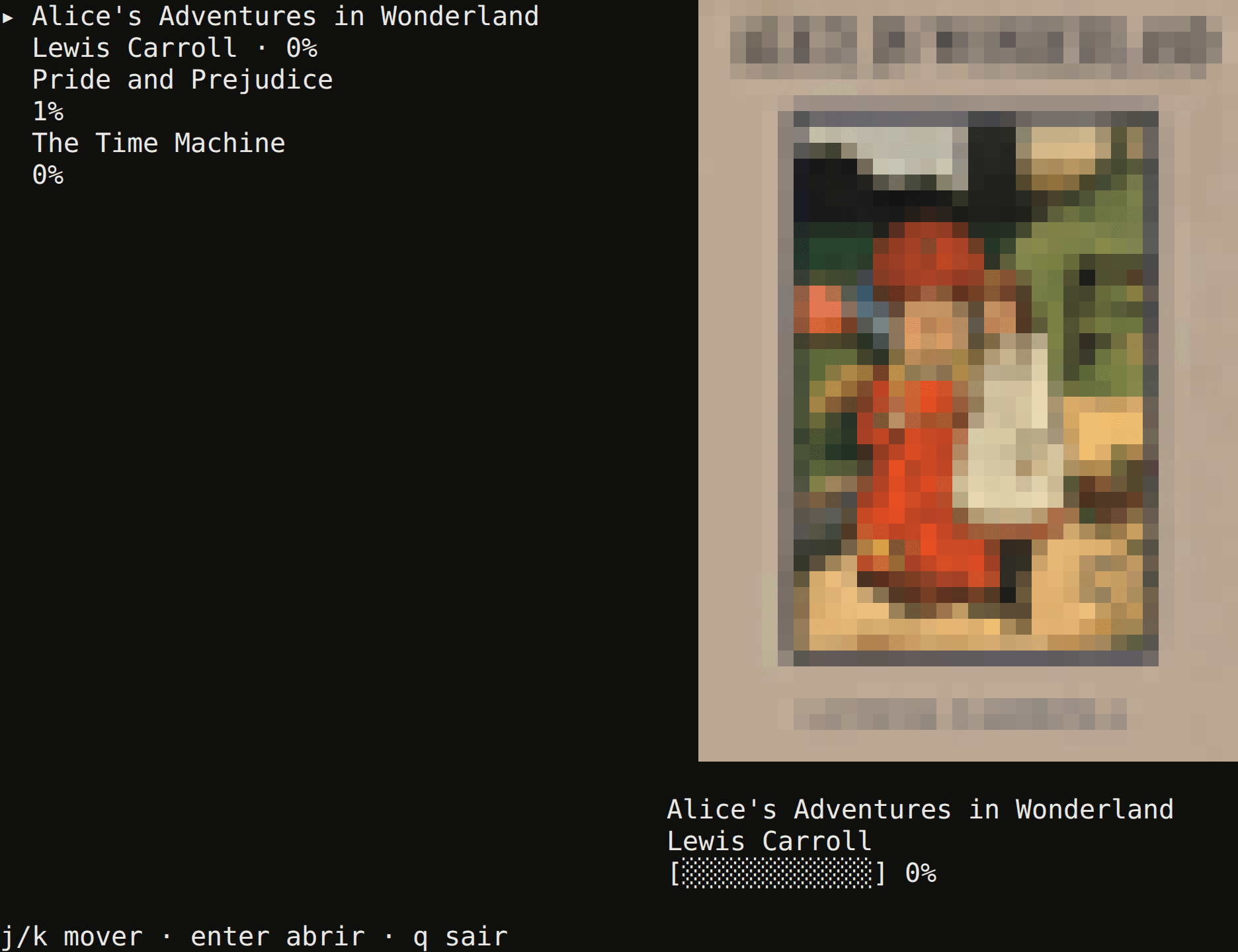
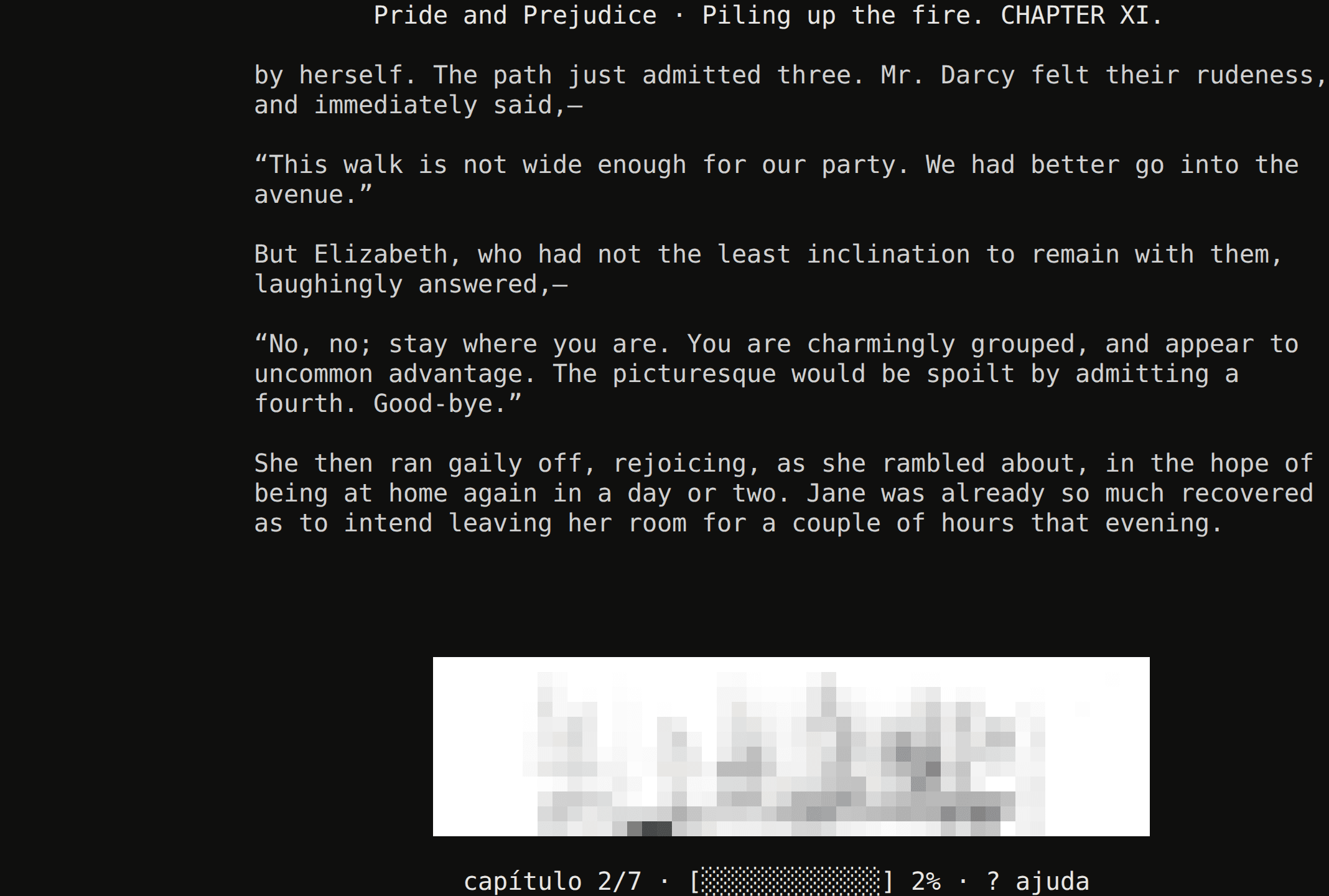
tbook opens DRM-free EPUBs, renders covers and illustrations as ANSI blocks, and provides search, bookmarks and themes. Project Gutenberg integration brings book search and downloads into the CLI.
the problem
Reading in a terminal means translating a document format into a character grid. Alongside text, the reader needs to preserve images, navigation and a position to resume between sessions.
the constraints
- A character grid
- Images are reduced to at most 48×24 and drawn with
▀, using truecolor or a 256-colour fallback. - Local state
- Configuration, bookmarks, chapter and reading percentage are stored in JSON. There is no cross-device sync.
the architecture
System responsibilities. The session can be tested without opening the interface.
Input and library
Commands, search and Project Gutenberg downloads.
Document
EPUB, chapters, images and Markdown conversion.
Session
Chapter, percentage, bookmarks and reading time.
Interface
Bubble Tea and rendering per chapter/width.
Persistence
config.json and state.json in the user directory.
A component map, not a call sequence: the TUI uses the session; core imports epub and store without importing Bubble Tea.
technical decisions
A core independent of the TUI
Sessionowns navigation and state, with tests for resuming, chapter boundaries, bookmarks and persistence.- Keeping these rules inside interface handlers.
- CLI and TUI must coordinate the session and saving.
Images as ANSI characters
- Rendering does not rely on emulator-specific graphics protocols.
- Using kitty, sixel or another protocol to display the original image.
- Resolution is limited; illustrations remain recognisable but lose detail.
JSON persistence
- State is small and local. The tool starts without a database or helper process.
- Adding an embedded database and structured queries.
- No sync; the local file is the source of state.
limits and lessons
Resuming has a defined precision
The code stores chapter and percentage, not a paragraph anchor. Width changes can affect the visible passage when resuming.
Distribution is unfinished
A goreleaser configuration and release workflow exist, but no tags were published at review time. The repository also has no license file.
current state
The go test ./... suite passed on the linked revision on 1 October 2026. The screenshots are actual binary captures already recorded in the portfolio repository.
A local test is not an adoption metric. This case makes no user-count or performance claims.
next questions
- Publish a release and specify the license.
- Evaluate a reading position independent of interface width.
evidence
go test ./... · 2026-10-01
?   github.com/bernardofernandezz/tui-ebook-reader/cmd/tbook  [no test files]
ok  github.com/bernardofernandezz/tui-ebook-reader/internal/cli    0.059s
ok  github.com/bernardofernandezz/tui-ebook-reader/internal/core   0.027s
ok  github.com/bernardofernandezz/tui-ebook-reader/internal/epub   0.011s
ok  github.com/bernardofernandezz/tui-ebook-reader/internal/store  0.006s
ok github.com/bernardofernandezz/tui-ebook-reader/internal/ui 0.038ssources and review
next: Scheduling API